Posted by & filed under Mobile Technology.


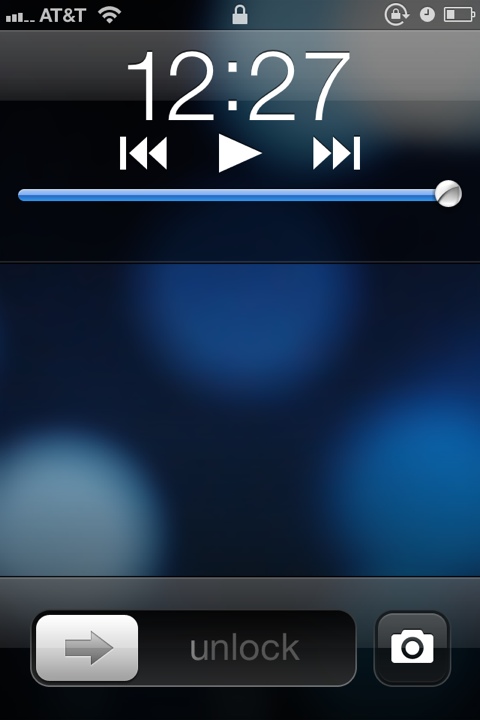
After upgrading to iOS 5, if you’re having trouble finding the new camera button that’s supposed to be on the lock screen, it’s because you have to double click the home button in order for it to appear.

Before:
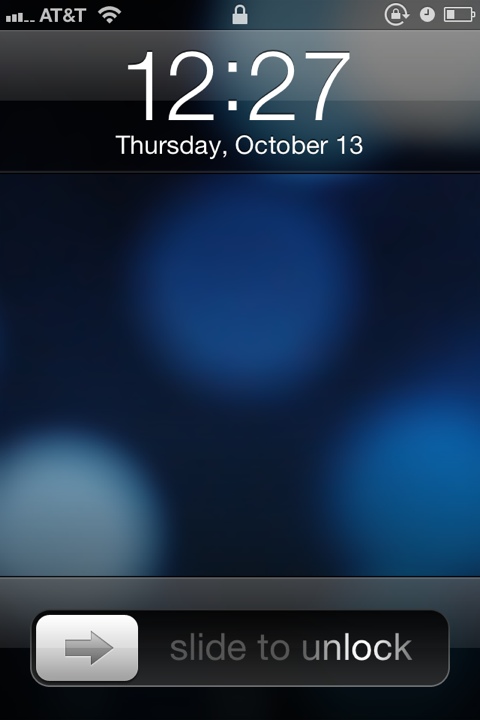
20111013-002835.jpg

After:

20111013-002911.jpg


If you enjoyed this guide – follow me on Twitter @dreys!

Matt Duff

Social media junkie, blogger, and E-Nerd. I love Grand Rapids, running, my motorcycle, good beer, and music. Follow me at:

More Posts - Website - Twitter - Facebook

2 Responses to “Missing camera button on iOS 5 lock screen”

  1. dave

    aaaahh!
    so simple! i was looking thru all my settings thinking i need to turn it on as an option. where can u find all this sort of info?

Leave a Reply

  • (will not be published)